---
description: You only need to do this once for each theme. Next time, you can skip step 2!
---
# Activate App
{% hint style="warning" %}
The app needs to be activated on the theme you want to add product options. Otherwise, your setting will not display on the Product page.
{% endhint %}
## Instruction
**2.1.** Choose Themes
Go to your Shopify Store Admin, click on **Online Store -> Themes** then find the theme you want to use the app on.

{% hint style="info" %}
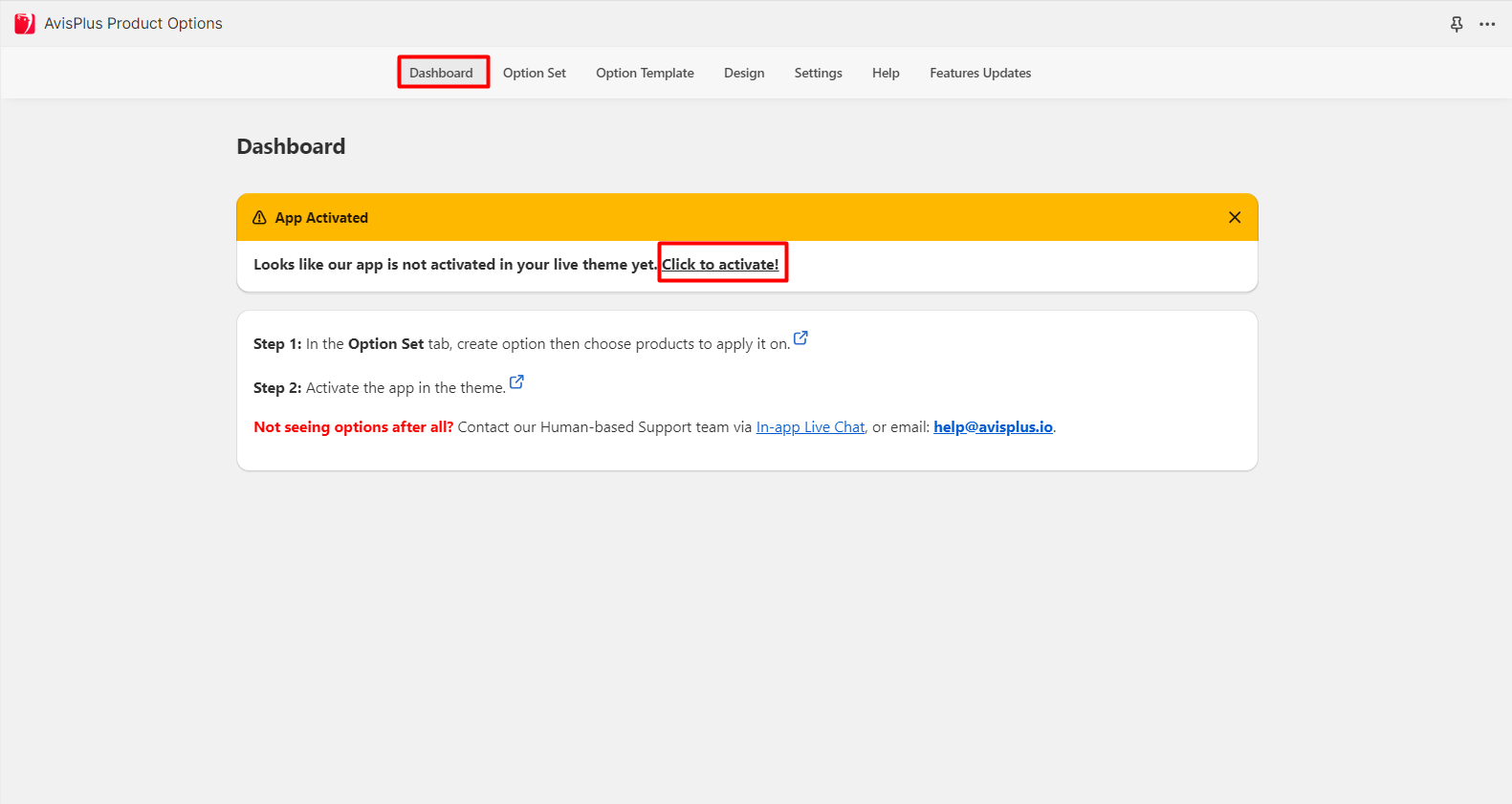
You can also go to the activation page quickly with one click using the **Activate app** button on the app **Dashboard** tab.
{% endhint %}
**2.2.** Activate the app in your theme
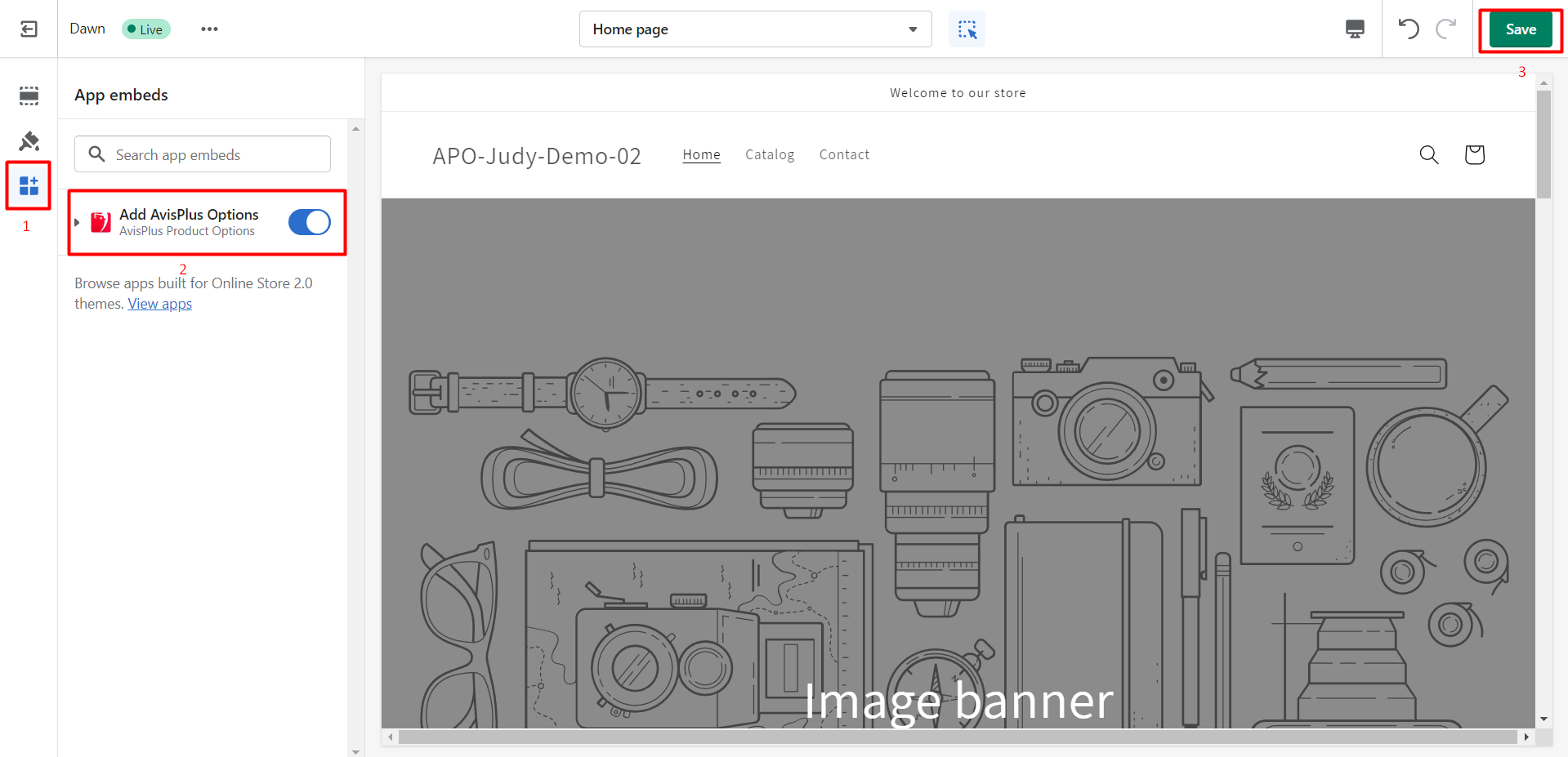
On the theme you chose, click on **Theme Setting -> App embeds -> Add AvisPlus Options -> Save.**
**After that, you're all set and can start using our app! 🎉**
_Need help? Let us know via in-app live chat or email: **help@avisplus.io**_ :star\_struck:
 {% endhint %}
**2.2.** Activate the app in your theme
On the theme you chose, click on **Theme Setting -> App embeds -> Add AvisPlus Options -> Save.**
{% endhint %}
**2.2.** Activate the app in your theme
On the theme you chose, click on **Theme Setting -> App embeds -> Add AvisPlus Options -> Save.**